Tag: google

Google Camera now on the play store!
Google Camera
For those who’ve been waiting since ages, Google Camera is finally on the play store for all devices running Android 4.4.x!
Google has made a number of improvements and refinements here, introducing a much cleaner interface “that gets out of your way” with a prominent shutter button. A brand new Lens Blur mode promises to achieve “SLR-like photos” offering a shallow depth of field.
Google says, “Lens Blur replaces the need for a large optical system with computer vision algorithms and optimization techniques that are run entirely on the mobile device, simulating a larger lens and aperture in order to creating a 3D model of the world.”. The company also posted details on how the Lens Blur came to be on their ‘Research at Google’ Google+ account.

I’ll present you with the Google Play description of the app and share what I found out from the app.

The Google Play description of the app says:

Google Camera snaps quick and easy photos and videos, and has creative picture modes like Photo Sphere, Lens Blur and Panorama.
Features:

  • Photo Spheres for immersive 360º views
  • Lens Blur mode for SLR-like photos with shallow depth of field
  • Panorama mode with high resolution
  • 100% viewfinder for getting the maximum resolution from the sensor (no dropped pixels)
  • Updated UI that gets out of your way and is centered on an extra large capture button
  • Works on phones and tablets running Android 4.4+ KitKat

Let’s compare this with what I saw.Main screenApp menu
When you first start the app, it opens in the expected camera mode. The menu shows 5 different modes. Camera, Video, Lens Blur, PhotoSphere and Panorama! When the first time you start the Lens Blur, Panorama or the Photosphere modes, you’ll be greeted with a short explanation of how to use it. The UI as you can see, follows the Google design guidelines, (Duh! Google App!) and looks very modern. For those who have used the Nexus camera app and Nexus devices might think that this might not be very different, but it is, you’ll again need to get to know the location of all the menus and stuff.

  • The photosphere feature is well known of course to all Nexus users or whoever managed to use the Nexus camera app. So I can’t say there’s any significant improvement here, for good photospheres, you still need a tripod or something.
  • Lens Blur! Frankly, that’s new, and it works reasonably good! If you’re going to Lens Blur a pic of your plate for Instagram, it’s perfect, since the instructions say that it’s best for photos of objects closer than 5 feet. It’ll need a bit more work, but it’s absolutely great, once again, the quality of the lens blur depends on how well the user handles it.

Lens Blur

  • Now there’s something new in the Video mode. On setting video mode, it’ll recommend Panoyou to change turn off auto-rotation lock and then turns the layout to landscape mode itself! If you didn’t listen to the people saying that videos are meant to be shot in landscape mode, now listen to Google!
  • The panorama mode really does take hi-res pics! But then, users of HTC, Sony or Samsung smartphone, or other popular brands like LG and Motorola, they all have already used High resolution panoramas already. So, nothing exciting here, except that the way this app takes panos is new. Perhaps better!
  • Umm, generally all major brands have camera apps with  a “100% viewfinder for getting the maximum resolution from the sensor (no dropped pixels)”. So I don’t really know what’s special there.
  • For the next part, you can already see how large the capture button is. The app really gets out of your way to let you do your thing. Even though a large capture button is easier to click and all, but it looks… too big? Yeah. Too big. Could have brought that area to better use!
  • And of course, the last part is nothing to brag about, Google knows it’s a limitation and is presenting it that way. (By adding it under “features”. Really?)

Overall, this is one great camera app! Fast, fluid, modern, has a way too big capture button. Everything that you need! And of course! The brand you amazing Lens Blur! Haha! Just kidding, it’s a good app, try it!

Sources:
Google Camera on the Play Store
The Google Research Blog
The Verge

Why do you need to backup, and POPULAR BACKUP SERVICES…

Hello! Before I continue, I as always tell you,
WHY SHOULD YOU READ THIS…
» Cuz I’m an average user. I don’t use them too little, not do I over-depend on them. I use them enough to be well acquainted with them, and I use them only when I need to.

Hey everyone, I’m posting something after a long time, but you’re not interested in this I’m sure, so I’ll cut to the chase.

[If you’re interested only in services that help you to backup data, still down and look for “Backup Services” ]

Have you ever wished that, “I wish I had a pic of that…”? I have, a couple years ago, when I didn’t have a camera(I never had a camera, only a camera phone that I got in 2011), I wish I could rejoice that memory, I wish I had images if that, at times on great occasions I even asked my neighbours if they got a camera, if they even had, my parents didn’t allow me. Sigh.
This taught me, over time, how important it was to have those images. Now everything I said about images, applies to videos, music, movies, documents, and every piece of data I’ve ever had!

I lost a lot of data due to accidental deletion, data corruption wasn’t a big issue for me…

No one wants to lose that cute pic of their pet when it was just born, it the pic of their little princes and princesses who just won a fancy dress competition. Memories are way too valuable for people like me, and many of those out there.

You can say I have an OCD about this. I don’t delete a single pic or video I’ve ever taken, accidentally or intentionally.

Cuz you never know if your best friend today turns an enemy tomorrow!

What I’m saying is, life is so damn fucking unpredictable that you just can’t know what moment you might never experience again! You might go one a fishing trip today, to the nearby lake, for a thousandth time… nothing special… you can again visit it tomorrow, and after that. Whenever you want. But you never know if that friend will live to see tomorrow, or if you’ll live, or if a nuke drops nearby. YOU’LL NEVER KNOW!

Life is very unpredictable, treasure every moment.

Now, let’s come to business shall we?

BACKUP SERVICES

Disclaimer: This isn’t a professionalists review, it’s an average user review.

Listing them out:

Dropbox
Box
Google Drive
SugarSync
SkyDrive

Personally speaking, I love Box. No special reason as such. It allows online editing of docs and stuff, that’s the on-the-go BS most services provide. Don’t take me literally, using BS for something is my way of talking. Actually I love box cuz it got me 50 GB on signing in on my android device. And many devices provide free +50GB Dropbox space. Mine did. It’s a Samsung Galaxy Grand Duos. You’ll find a review for that device elsewhere on IdeaBuster. You might like Dropbox better, I mean, not a lot of sites provide free space on adding friends or referrals, do they?
Then comes SugarSync, well, I like it’s app, and especially, the cute logo. (I’m a straight make alright! Even guys think some things are cute!) Plus on slower networks the SugarSync app works better than Dropbox, I haven’t tried Box on the Galaxy Grand yet… Then comes Skydrive, it provides some 7.5 GB or so space. Plus some editing features of Office 365 I think.
Last but not the least, Google Drive. Gives 5GB for free. Good stuff. Deep Google docs integration, and all the Google related goodies!
Wait, did I mention that Facebook uses Dropbox for file sharing in groups? So you could use Dropbox BS in Facebook at some places too! But that’s not a big deal for me… maybe it is for you!
I’ve helped enough now! Go on your jobs! I’m done!

How to pass your time, when you have nothing to do…

Believe me, i’m a king on this one.

The reason this post even exists is that most people would just become couch potatoes without any work. So why not do something comparatively productive that doesn’t require killing yourself?

Why you should read this?
As I said, i’m a king on this one, plus, I am lazy too, just like you!

Here we go:

1. I’ll assume you don’t want to get off your couch in the first step.
So why not do something with your TV? Discover new channels! Play the game that comes inbuilt in your TV! Watch some news! Or discovery channel! Or just explore new features of your TV and press buttons you’ve never pressed before! You might as well be very surprised!

2. Now get off your couch would you?
Get back to your bedroom. (Assuming you don’t have your TV in your bedroom, if yes, you bro, need to get a life.)
What do you see?
If you’re reading this, I assume it’s littered with clothes and gadgets and books everywhere! I don’t want to sound like your mom, but cleaning it up might actually be a good idea, turn up the music and get working, don’t think, just start cleaning, you might eventually begin you enjoy it. It works on me, though I have a feeling it won’t work on you, have a try.

image

3. Be the mechanic.
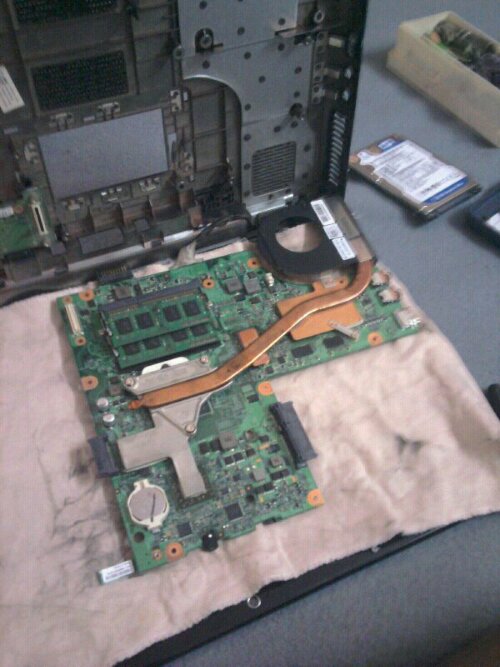
Every house has something that doesn’t work and people are too busy or lazy to ever get it fixed. Now it’s your time to rise and shine! Open up that radio no one listens to, unscrew that toaster that wasn’t used in a while, a for with loose hinges, a loose tap, clogged pipes, look around! You’ll find more stuff to fix than you actually can!

image

4. Time to get out and explore.
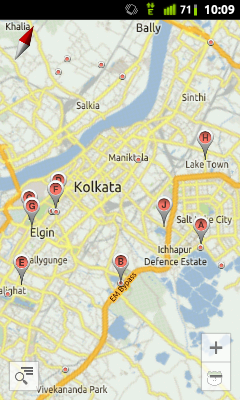
A hell lot of people worldwide have a smartphone. Smartphones have a GPS! Now use your GPS enabled application (say “Google Places” or “Google Maps”) to search footer new places of interest and actually take your cycle, bike, car or anything to check it out! Riding on a cycle is always good for your health. You can go to movies, restaurant, park, bazaar and the list goes on.

image

5. Remember that friend?
Whose place you never visited? Or last visited long ago? Time to go to his place finally.
We all have people we never visited much, since you have nothing to do, you might as well pay him a visit. And perhaps do step 4 with him!

image

6. Now that you’ve had a great day hanging out with friends and doing stuff, you returned home, nothing to do. Now what?
Assuming you tried all the aforementioned steps, you don’t have much household chores left. So why not try to cook? Dust off that recipe book and time to get your hands dirty!
Unless you’re ordering a pizza, try step 7.

image

7. Read a book.
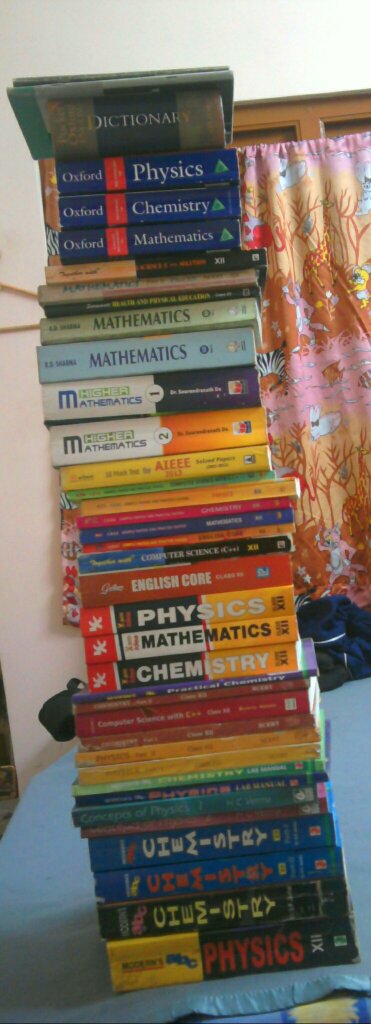
An old magazine, an academic book, a comic book, you do have books in your house, don’t you? Who doesn’t! If you’re a tablet, smartphone or a PC person, download a book! I’m not recommending Facebook!

image

Look at all the books! I never read…

8. Follow me!
I mean, start a blog and make some posts! If you don’t want to do that, write down on a piece of paper about your day, which is equivalent to writing a diary, if you already write a diary, do that. Writing down something, your thinking, feelings, something that you just need to write is a good idea, always.

9. Do something creative.
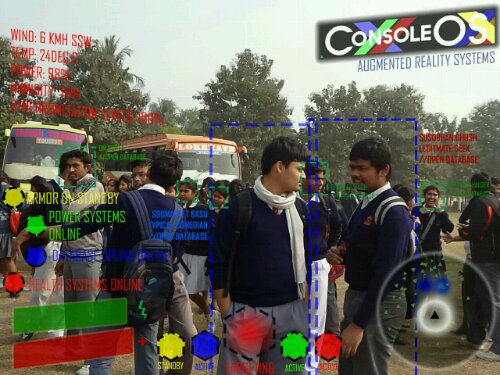
Everyone is creative(at a range) and can suite their creative oats by doing many things like recreating a thing they saw by hand or a computer software. Well, this one is entirely up to you.

image

An example from me.

10. You’ve done everything.
Now you can plug in your earphones and play your favourite music and go to sleep.

image

%d bloggers like this: